




Go to Windows platform Display platforms icon
Go to Windows platform Go to Mac platform Go to Android platform Go to iOS platform
Manus icon

Manus

1.7.5.0
5 2 reviews
10.4 k downloads
security security

Create images, summarize texts, and get answers to your questions

Advertisement
Remove ads and more with Turbo
Advertisement
Remove ads and more with Turbo
Andrés López icon
Reviewed by
Andrés López
Content Editor
Andrés López is part of Uptodown's in-house Editorial Team. Translated by Uptodown Localization Team

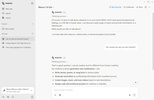
Manus is the official desktop client of this popular Artificial Intelligence agent which, in December 2025, was acquired by Meta (the company behind Facebook, WhatsApp, and Instagram). With this app for Windows, you can have an AI tool ready and waiting directly from the desktop. Generate videos, images, or sounds in a matter of seconds, translate or summarize any text document, design a website or an app from scratch, and much more.

First step: sign up

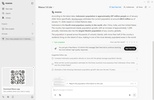
The first thing you have to do in order to use Manus is sign up. This can be done in under 30 seconds. You can log in directly with your Google, Microsoft, or Apple account, and you will instantly receive 1000 credits just for completing this first step. Once you have your user account, not only will you be able to use all the program's features, but you can also customize your profile, being able to change your name, update your photo, change the interface language, and more.

Advertisement
Remove ads and more with Turbo

Key differences between the free version and the Pro version

Manus is available for free in its Lite version. However, this version of the app has some limitations that you will not find in the Pro version. A Manus Pro subscription offers more monthly credits, allows you to maintain 20 concurrent tasks and another 20 scheduled tasks, early access to all beta features, and access to other advanced AI models, like Nano Banana. It is worth noting that there are several subscription levels within the Pro version.

Connect your tools with Manus

Among Manus's most interesting features is the possibility of connecting all your most frequently used work tools to conveniently integrate them into your workflow. This means you can integrate Gmail, Slack, GitHub, Notion, Outlook, Drive, Calendar, Dropbox, Cloudflare, Gemini, and your usual web browser. You can even add a custom API. You decide what tools you want to integrate within Manus.

What can I do for you?

This is the question Manus asks every time you open the app. And the answer is that it can do practically everything. Just choose the model you want to use to create slides, build a website, develop an app, design a poster or an image, create a spreadsheet, generate a video or audio, schedule a task on the calendar, or simply shoot the breeze. That's right, if you just feel like chatting, Manus is the tool for you.

Review your history at any time

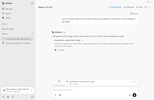
Every time you start a new task or conversation with Manus, a new item will be created in your history. All these threads will be stored in the tool's history, so you can come back and review them at any time. Similarly, any multimedia content you generate through the app will be stored in your library. You can download it, review it or refine it from here as many times as you like.

An excellent AI assistant for Windows

Download Manus and find a new way to leverage the power of AI on Windows. Thanks to this app, you can get answers to any questions, significantly streamline your workload or generate audiovisual content for fun. Furthermore, the app gives you 300 free credits every day, even in the Lite version. To give you an idea of what you can do with that, generating an image with GPT-Image-1 costs around 60 credits.

Information about Manus 1.7.5.0

Basic information

Developer BUTTERFLY EFFECT PTE. LTD.
Category Artificial Intelligence
Rating +3
Languages English
47 more

Distribution model

Pricing Free
License Proprietary
Copyright © 2026 BUTTERFLY EFFECT PTE. LTD.
Why is this app published on Uptodown? (More information)

Security and privacy

Required permissions Not applicable
See security and antivirus report

Download info

Downloads 10,395
Date Sep 18, 2026
File type MSIXBUNDLE
Size 205.4 MB
SHA256 fdb365504f3ae455650350a7878bc7bffaf05f0a4e9e5e71dd9ac3b08275211d
Advertisement
Remove ads and more with Turbo

Older versions

See more
msixb 1.6.3.0 Jun 26, 2026
msixb 1.6.2.0 Jun 20, 2026
msixb 1.6.0.0 May 29, 2026
msixb 1.5.6.0 May 2, 2026
msixb 1.5.3.0 Apr 24, 2026
msixb 1.2.1.0 Jan 20, 2026
Available for other platforms

Rate this App

Review the app
Manus icon

Rating

5.0
5
4
3
2
1
2 reviews

Comments

grumpyblackbear35740 icon
grumpyblackbear35740
2 months ago

Good

Like
Reply
Advertisement
Remove ads and more with Turbo
ChatGPT icon
Windows desktop version of ChatGPT
Claude icon
An AI-based chatbot that respects your privacy
Google Antigravity icon
Google's official advanced AI-first IDE
Microsoft Copilot icon
Microsoft's official AI assistant app for Windows
Perplexity icon
Use AI to answer any question
TRAE icon
The most complete AI assistant for PC
OpenMausBot icon
Create your own team of AI assistants
Pipali icon
An AI that works with you
ChatGPT icon
Windows desktop version of ChatGPT
Codex icon
OpenAI's official companion for programming with ChatGPT
Claude icon
An AI-based chatbot that respects your privacy
Google Antigravity icon
Google's official advanced AI-first IDE
Opencode icon
Open-source AI programming agent
T3 Code icon
Control your programming agents
OpenMausBot icon
Create your own team of AI assistants
Impeccable icon
Improve the look of AI-generated projects
Google Gemini icon
Use Gemini on Windows with this official client
Microsoft Copilot icon
Microsoft's official AI assistant app for Windows
Notion icon
Organize various workspaces all in one place
Windsurf icon
Powerful AI-driven IDE
Perplexity icon
Use AI to answer any question
REA: Reverse Engineer Anything icon
AI-assisted reverse engineering for apps and binaries
QwenPaw icon
Automate tasks with AI
OpenClaw Companion icon
Control your PC with AI
3uTools icon
The best way to manage your iOS device
Proteus icon
Comprehensive solution for electronic circuit design
ChatGPT icon
Windows desktop version of ChatGPT
Codex icon
OpenAI's official companion for programming with ChatGPT
Claude icon
An AI-based chatbot that respects your privacy
HxD Hex Editor icon
Hexadecimal editor for binary files
Quick Share icon
Send files quickly from Android to Windows
Google Gemini icon
Use Gemini on Windows with this official client